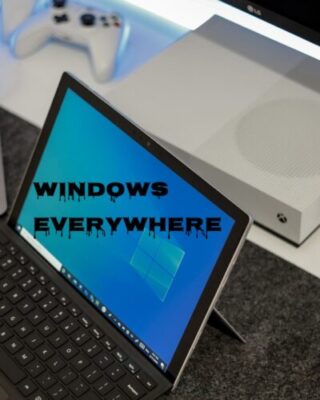

When you look around offices, schools, and home workspaces, one pattern is hard to miss: Microsoft Windows is still everywhere. Despite the rise of macOS, ChromeOS, Linux distributions, and mobile-first workflows, a huge number of people and businesses continue to pick Windows as their primary operating system.
Here are the most common reasons people still choose Windows for their computers—and what that means for setup, maintenance, and support.
Strong Backward Compatibility
People and organizations often keep important software and files for many years. Windows is known for giving old software a surprisingly long life.
- Legacy apps: Older accounting programs, databases, or industry‑specific tools that were written decades ago often still run on modern Windows, sometimes with minor tweaks or compatibility modes.
- File formats and drivers: Windows tends to maintain support for older file formats and devices longer than many alternatives.
Support takeaway: A big part of tech support for Windows environments is helping clients keep crucial legacy tools running safely, or planning the transition from those tools to modern replacements.
Wide Availability Of Support And Resources
Because Windows is so widely used, help is easy to find.
- Online resources: Tutorials, forums, videos, and documentation for Windows problems are abundant.
- Third‑party tools: Backup utilities, antivirus solutions, system cleaners, remote‑management tools, and monitoring software are widely available for Windows.
- Professional expertise: Many IT professionals, help desks, and managed service providers specialize in Windows environments.
Support takeaway: The ecosystem around Windows means faster fixes and more options. A tech support partner can tap into this ecosystem and curate the best tools and practices for each client.
Better Fit For Certain Use Cases
Different operating systems excel at different things. Windows is still the best fit for many specific use cases:
- Gaming and high‑performance graphics: Most PC games, gaming accessories, and graphics drivers are optimized for Windows.
- Engineering and technical work: CAD, CAM, simulation, and many scientific tools have their strongest support on Windows.
- POS and kiosk systems: Many point‑of‑sale systems, kiosks, and terminals rely on Windows‑based software and drivers.
Support takeaway: For these workloads, switching away from Windows often introduces more problems than it solves. Tech support focuses on performance tuning, driver management, and reliability.
Continuous Development And Modern Features
Modern versions of Windows include many features users expect in a current operating system:
- Security improvements: Built‑in tools like Windows Security (Defender), BitLocker encryption, and secure boot help protect systems out of the box.
- User conveniences: Virtual desktops, improved window management (Snap layouts), better touch and pen support, and cloud integration (OneDrive) make daily use smoother.
- Regular updates: Feature updates and security patches keep systems evolving—when they’re managed properly.
Support takeaway: The update system can be a blessing or a headache. A good support strategy includes patch management, testing updates before deployment in business environments, and rollback plans.